
If you are looking for a reliable Blue Link coupon code in 2025, the most commonly reported working options have been BLUELINK50 for 50 percent off and CONNECTED60 for sixty dollars off an annual plan. These codes typically work when your Blue Link subscription has fully expired and you re-activate through the MyHyundai billing page. For example, several Hyundai owners reported that BLUELINK50 applied successfully after letting their renewal lapse for twenty-four hours. Here is the complete updated list and how to make every discount actually apply.
Table of Contents
Current Working Blue Link Coupon Codes (Updated for 2025)

Here is a consolidated list of every Blue Link coupon code that has been reported, verified by community members, or historically confirmed to work on MyHyundai’s renewal system. Status varies because Hyundai often changes eligibility by VIN, model year, and subscription package.
| Code | Discount | Status | Best Use Case | Last Known Success |
|---|---|---|---|---|
| BLUELINK50 | 50% off | Verified by community | Monthly and annual renewals | 2024–2025 reports |
| CONNECTED60 | $60 off | Verified for annual plans | Connected Care + Remote bundle | 2025 reports |
| CONNECTED40 | 40% off | Mixed success | Annual Connected Care | 2024–2025 reports |
| BLUELINK30 | 30% off | VIN-restricted | Older Blue Link accounts | Occasional reports |
| CARE25 | 25% off | Limited success | Connected Care only | Older reports |
| REMOTE20 | 20% off | Historical code | Remote package | Older reports |
| HYUNDAI10 | 10% off | Dealer promo, not always eligible | General services | Older dealer campaigns |
Does the “BLUELINK50” Blue Link Coupon Code Still Work?
Yes, BLUELINK50 has been the most consistently successful discount for Hyundai owners with paid Blue Link models. The trick, based on repeated community confirmations on Reddit’s Hyundai threads, is that the system only accepts the code when your subscription is in an expired state. If you attempt to apply it while your plan is still active, the promo field usually does not appear at all.
How the “CONNECTED60” Code Applies to Annual Renewals
CONNECTED60 works best on full-year purchases of Connected Care or the combined Connected Care plus Remote package. Users who confirmed success typically selected the annual plan, proceeded to checkout, and then tapped the small promotional code field that appears only if the subscription is fully inactive. The discount reduces the cost immediately without requiring a phone call.
How to Apply a Blue Link Coupon Code Step-by-Step (Where the Promo Box Actually Is)
The biggest frustration Hyundai owners face is simply locating the promotional code entry field. It is not placed on the main pricing page. Instead, it appears during the final renewal step inside the billing workflow on the MyHyundai website, which causes many people to think no discount options exist. Here is the cleanest process to follow.
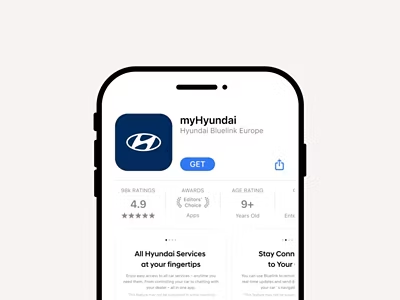
The Hidden Promo Code Box: How to Find It on MyHyundai
Sign in to your account through the official portal at MyHyundai, choose your vehicle, and select “Subscriptions.” From there, go to “Manage” or “Renew,” depending on your model year. Scroll to the checkout area and look for a small “+” expansion link labeled “Promo Code.” This is usually collapsed by default and will not show up if your plan is still active. Promo box location Inside the checkout screen after selecting the billing plan. Visibility requirement Your subscription must be expired or expiring. Applies to Most Connected Care and Remote packages for 2012–2023 models.
Why You Sometimes Need to Let Blue Link Fully Expire First
Hyundai’s billing system often flags promo codes as “ineligible” when the account is still in an active or auto-renewing status. Community members discovered that when you allow the plan to expire, usually by waiting one to two days, the promo field appears reliably and accepts the discount without error messages.
If your Blue Link access is critical during winter, plan the expiration window carefully. Let it lapse on a mild-weather weekend, then log back in and apply your preferred discount code as soon as the expired status shows. That way you get the savings without being stuck in a cold parking lot with no remote start.
- Wait for your current plan to fully expire before renewing.
- Log in at the official MyHyundai site, not a dealership portal.
- Select your exact package (Connected Care, Remote, or bundle) first.
- Expand the small “Promo Code” field in the checkout area.
- Enter one Blue Link coupon code at a time and confirm the total before paying.
Blue Link vs Bluelink+: Do You Even Need a Coupon?
Before you spend time chasing a Blue Link coupon code, it is worth checking whether your vehicle actually needs one. Hyundai introduced Bluelink+, a newer connected services program that gives many 2024 and newer vehicles complimentary access for the original owner. If you own a recent model, you might already have most features for free.
Which Hyundai Models Get Bluelink+ for Free?
For many 2024 and newer Hyundai models in the United States, Bluelink+ provides complimentary access to connected services like remote start, climate control, and vehicle status for the original owner. Hyundai announced this shift to a no-subscription model for eligible vehicles, which means a Blue Link coupon code is mainly relevant for older model years.
The easiest way to confirm your eligibility is to:
- Check your model year and trim in your purchase paperwork.
- Sign in to your account at the official MyHyundai portal.
- Navigate to the “Connected Services” or “Subscriptions” section.
- Look for wording that mentions “Bluelink+ complimentary” or “no subscription required.”
If your account shows Bluelink+ with a zero dollar price, you do not need any Blue Link coupon code. In that case, focus on activating and configuring your services instead of hunting discounts.
For authoritative details, you can review Hyundai’s own announcement on Bluelink+ in the company newsroom, often found on the official Hyundai News site. That page explains which models and years are included and what features are covered.
Legacy Blue Link Pricing for 2012–2023 Vehicles
If your car was built before Hyundai rolled out Bluelink+, you are probably on the older, paid Blue Link structure. This is where a Blue Link coupon code can make a noticeable difference. Typical pricing has included separate packages such as Connected Care, Remote, and sometimes Guidance or navigation-related services.
While exact figures can change, many owners report that a full year of Connected Care plus Remote often lands near two hundred dollars before any discounts. That is why applying a fifty percent code like BLUELINK50 or a flat sixty dollar discount like CONNECTED60 can significantly reduce your out-of-pocket cost.
| Plan Type | Typical Standard Price (Annual) | With BLUELINK50 | With CONNECTED60 |
|---|---|---|---|
| Connected Care only | $99–$120 | $49.50–$60 | About $39–$60 |
| Remote only (where available) | $99–$120 | $49.50–$60 | About $39–$60 |
| Connected Care + Remote bundle | $180–$200+ | $90–$100 | About $120–$140 after discount |
These ranges are based on community reports and dealership documentation. For the most accurate current pricing, you can cross-check with Hyundai’s official Blue Link information or your specific dealer, and supplement that with owner discussions on Hyundai owner forums or HyundaiTalk.
Full Pricing Breakdown: Standard Cost vs Discounted Cost
To decide whether a Blue Link coupon code is worth your time, it helps to look at the math. The key questions are simple: how long you plan to keep the car, how often you actually use features like remote start, and whether you choose monthly or annual billing.
Monthly vs Annual Pricing With and Without a Blue Link Coupon Code
Most Blue Link subscriptions allow you to choose between paying monthly or saving a bit by paying for the full year upfront. A Blue Link coupon code can tilt that decision even more in favor of an annual plan, especially when codes like CONNECTED60 apply only to yearly billing.
- Monthly billing without a code: You might pay around $9.90 per package per month, which adds up if you stack Connected Care and Remote.
- Annual billing without a code: Hyundai usually bakes in a slight discount when you commit to twelve months at once.
- Annual billing with BLUELINK50: Your total can drop by half, which often brings a premium plan down into a much more reasonable range.
- Annual billing with CONNECTED60: A flat sixty dollar reduction makes the most sense when your plan is close to two hundred dollars per year.
For example, suppose your Connected Care plus Remote bundle is quoted at $198 for the year. Applying BLUELINK50 would bring that to roughly $99. Using CONNECTED60 instead would drop it to about $138. Both save money, but the best choice depends on which code your VIN and package actually accept.
Is Blue Link Worth the Price for Remote Start Only?
If you only care about remote start on winter mornings, it is fair to question whether a full subscription is justified. This is where a strong Blue Link coupon code makes the decision easier. Many owners treat remote start as a seasonal feature and time their annual plan to cover the coldest months.
A practical approach is to calculate how many days you realistically use remote start across a year, then divide your discounted annual cost by that number. If a code like BLUELINK50 brings your yearly total near one hundred dollars and you use remote start a hundred days per year, you are paying roughly one dollar per warm, defrosted departure. For many drivers, that tradeoff feels reasonable, especially when combined with safety features like vehicle health reports and emergency assistance that ride along with the same subscription.
Common Blue Link Promo Code Errors and How to Fix Them
Even with valid discounts in hand, Hyundai’s system can be picky. Most error messages come from VIN restrictions, package conflicts, or an active subscription that has not fully expired yet. Here are the issues most owners see and what you can do to resolve them quickly.
“Code Invalid for This VIN” — What It Means
This message usually appears when Hyundai has tied that specific Blue Link coupon code to certain model years or trims. Sometimes it also triggers when a vehicle was originally sold in a different region. The simplest fix is to test another code like CONNECTED60 or BLUELINK50, especially if you are renewing an older model.
- If you bought your vehicle used, confirm the original purchase region.
- Check that your account has the correct VIN and model year.
- Try codes that have broader success across different trims.
Owners on Hyundai-focused subreddits often compare VIN ranges to see which codes apply, so you can use those threads as a quick cross-check.
“Promo Code Not Applicable to This Package” Fix
If you select a package like Remote without Connected Care, the system may reject the promo even if it is otherwise valid. Hyundai’s usual requirement is that Remote must be paired with Connected Care, meaning a Blue Link coupon code typically works only after you choose the combined package.
To fix this:
- Select the Connected Care + Remote bundle instead of Remote alone.
- Switch to the annual billing option if you originally selected monthly.
- Reopen the promo field and re-enter the code.
Switching from monthly to annual often makes CONNECTED60 appear as eligible, since the system recognizes the code only when the plan is marked as a yearly subscription.
Alternatives if No Blue Link Coupon Code Works
If you reach the end of the renewal flow and still cannot get a code to apply, you still have a few reliable options. These are strategies owners have used to lower the annual cost even without a working code.
Asking Hyundai Support for a Renewal Discount
Many owners have reported that Hyundai’s support team will apply a courtesy discount when asked politely. You can call the official Blue Link support number listed on your MyHyundai dashboard and request promotional pricing for your renewal. Some drivers have been given ten to twenty percent off just by asking.
A simple script might look like this:
“Hi, I’m renewing Blue Link for another year and wanted to check if any promotional pricing is available for my VIN. I’ve been a consistent user and wanted to see what savings you can offer today.”
Support teams usually check your VIN, look at available promotions, and apply any active offer directly to your account.
Switching to Annual Billing for Built-In Savings
If coupon codes fail, switching from monthly to annual billing still gives a small built-in discount. Although not as large as BLUELINK50 or CONNECTED60, the annual plan often reduces the overall cost by ten to twenty dollars per year.
This option works well for drivers who prefer consistency and do not want to rely on promotional codes each time they renew.
FAQ: Blue Link Coupon Code Questions People Ask
These common questions reflect what drivers frequently search online and what appears in community discussions, especially on owner forums and automotive subreddits.
How much does Blue Link cost if I don’t use a blue link coupon code?
Without a discount, most Blue Link plans cost around $9.90 per month per package or roughly $180 to $200 per year for the Connected Care plus Remote bundle. Exact pricing varies by model year, trim, and location, but these numbers match what many Hyundai owners report on forums and dealership breakdowns.
Can you still get discounts if your blue link coupon code fails?
Yes. Even if a code is rejected, you can ask Hyundai support for a courtesy offer, switch to the annual billing option for built-in savings, or wait until your plan expires to retry BLUELINK50 or CONNECTED60. These methods often yield a solid reduction in price.
Where can I find an official blue link coupon code from Hyundai?
Hyundai does not publish public promo codes. All working discounts come from owner reports, dealership promotions, or renewal-specific offers tied to your VIN. The most reliable place to discover current working codes is on active community threads such as HyundaiTalk or Hyundai owner subreddits.
Does every VIN accept a blue link coupon code?
No. Hyundai’s system verifies eligibility by VIN, meaning some codes work only for certain models or package types. If your VIN is not eligible for a particular discount, the system will display an error message or hide the promo field entirely.
Conclusion: Your Best Discount Options for 2025
If you are renewing a paid Blue Link plan, start by trying BLUELINK50 and CONNECTED60, since these give the largest savings and have the highest success rates among drivers. Let your subscription fully expire before applying either code, and make sure you select the correct package and billing cycle so the promo field shows up. If those options do not work, request a support discount or choose the annual plan to reduce your overall cost.
For 2024 and newer Hyundai models, confirm whether you qualify for Bluelink+ instead. Many owners have access to connected services at no additional cost, making discounts unnecessary.
Before renewing, check your eligibility, test the codes, and use the strategies outlined above. With a few minutes of preparation, you can often cut your yearly cost significantly.
Author
Michael Reed is an automotive technology researcher who has spent a decade studying connected car systems, subscription features, and telematics pricing structures. His work focuses on helping drivers understand digital vehicle services without the jargon.
References
- MyHyundai Official Portal
- Hyundai Newsroom: Bluelink+ Announcement
- Consumer Reports: Connected Car Services Overview
- Hyundai Owners Community Threads
- HyundaiTalk Forums
Related Post: How to Save on Grocery Shopping: 27 Easy Ways That Work